How to accept USDT (TRC-20) payments on your website
Why TRC-20 became the default network for USDT
USDT is not one token. It is the same brand issued separately on Tron (TRC-20), Ethereum (ERC-20), BNB Smart Chain (BEP-20) and several other networks. To a customer they all look like "USDT" inside their wallet, and that is exactly where most failed payments start.
For everyday retail amounts, Tron won on cost. A TRC-20 transfer is paid for in TRX (or in bandwidth and energy the sender has staked for), and it is a small flat cost rather than a percentage of the amount. Ethereum's ERC-20 transfers are priced by network congestion, and on a busy day the gas on a $25 invoice can be an uncomfortable share of the order. Confirmation time matters too: Tron blocks arrive every few seconds, Ethereum every twelve or so, Bitcoin roughly every ten minutes.
The practical conclusion for a merchant is short. If you support one network, support TRC-20. If you support two, add ERC-20 for customers who already keep their balance on Ethereum and would rather not bridge.
Three ways to take a USDT payment, and what each one costs you
| Approach | Who holds the money | What it costs you | Main failure mode |
|---|---|---|---|
| Publish one wallet address on the checkout page | You | Nothing in fees | You cannot tell which order a payment belongs to. Reconciliation is manual and gets worse with volume |
| Custodial gateway or exchange payment page | The provider, until you withdraw | A percentage fee, plus withdrawal fees | Your revenue sits in someone else's account. Account review, withdrawal limits or provider insolvency are your problem |
| Non-custodial gateway | You, at all times | A percentage fee | You are responsible for your own wallet security. There is nobody to reverse a mistaken payment |
The first option is where almost everyone starts, and it works until two customers pay the same amount on the same day. The second is the easiest to integrate and the hardest to unwind later. The third is the one this article walks through, because it is the only one where the payment never becomes someone else's liability. If you want the comparison in more depth, we wrote a separate piece on custodial versus non-custodial gateways.
What you need before writing any code
NextCryptoPay is non-custodial, so it never asks you for a private key. What it asks for is a public receiving destination that you already control:
- An extended public key (xpub) — recommended. The gateway derives a fresh receiving address for every invoice from that public key. It cannot sign anything with it. How that works is covered in the security page.
- Or a single static address — supported, with one important consequence described below.
You will also need an API key from the dashboard, in the form ncp_live_ followed by 48 hex characters. It is displayed once. Store it as a server-side environment variable; it must never reach the browser.
Supported chain and asset combinations today:
chain | valid asset values | Confirmations required by default |
|---|---|---|
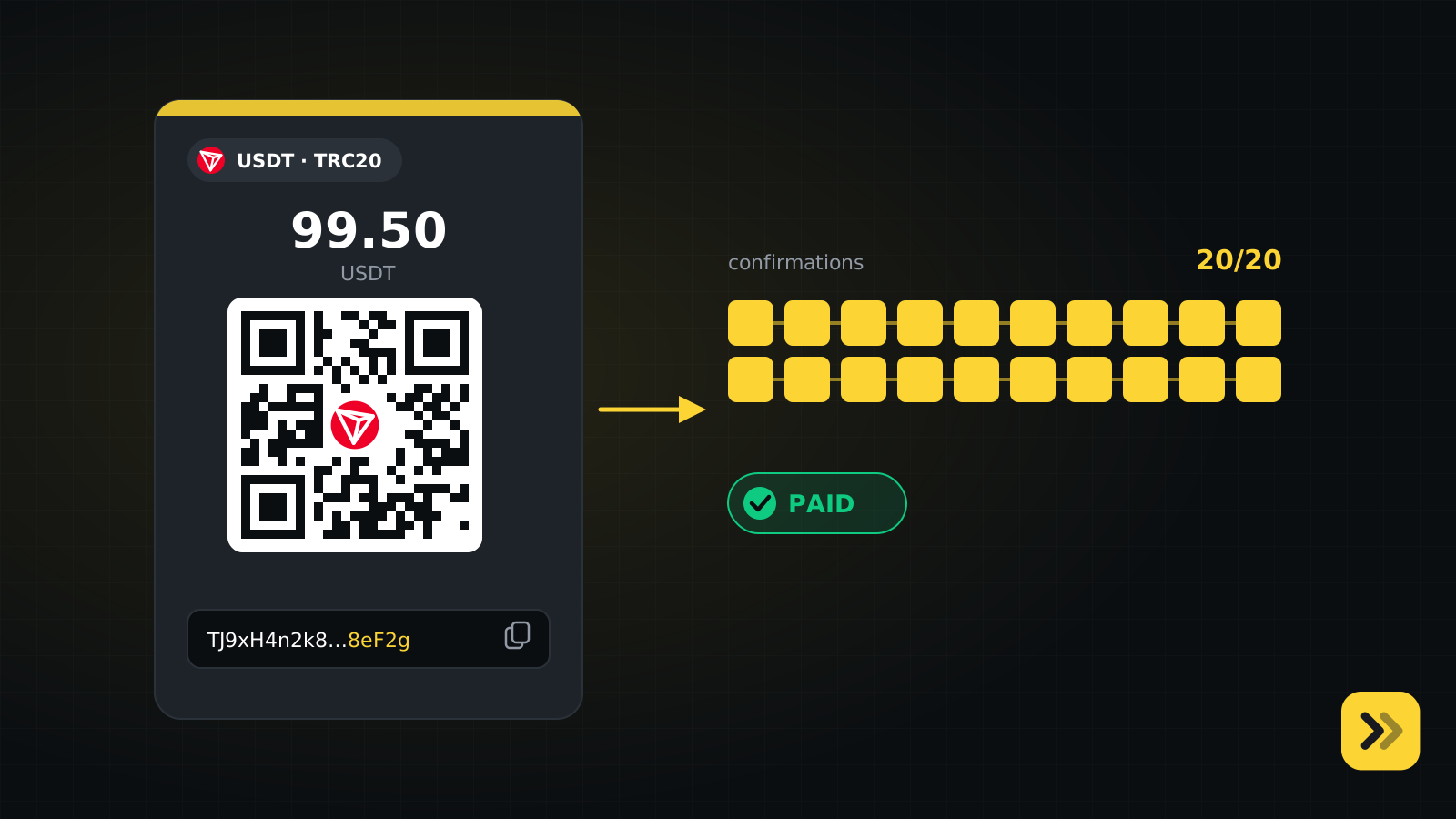
tron | USDT, USDC | 20 |
ethereum | USDT, USDC | 12 |
bsc | USDT | 15 |
bitcoin | BTC | 3 |
ton | USDT | 1 |
Any other combination is rejected with 400 CHAIN_ASSET_INVALID.
Creating an invoice
One server-side call creates the invoice and returns a hosted checkout URL:
curl -X POST https://nextcryptopay.com/api/v1/invoices \
  -H "Authorization: Bearer ncp_live_..." \
  -H "Content-Type: application/json" \
  -H "Idempotency-Key: order-1001-attempt-1" \
  -d '{
    "orderId": "ORDER-1001",
    "amount": 99.50,
    "currency": "USD",
    "chain": "tron",
    "asset": "USDT",
    "webhookUrl": "https://yourstore.com/webhooks/nextcryptopay",
    "redirectUrl": "https://yourstore.com/thanks?order=ORDER-1001"
  }'
{
  "id": "inv_abc123",
  "orderId": "ORDER-1001",
  "payAddress": "TJ9xH4n2k8sQw7Lm3vR5pZ1aB6cD8eF2g",
  "cryptoAmount": "99.50",
  "asset": "USDT",
  "chain": "tron",
  "status": "PENDING",
  "expiresAt": "2026-09-16T10:15:00.000Z",
  "checkoutUrl": "https://nextcryptopay.com/pay/inv_abc123"
}
Three details that are easy to get wrong:
cryptoAmountis a string. Treat it as a decimal string everywhere — in your database, in your templates, in comparisons. Parsing it into a float and formatting it back is how you end up displaying an amount the customer cannot pay.orderIdis unique per shop. Posting the sameorderIdtwice returns the existing invoice with HTTP 200 instead of creating a second one. That is deliberate: a double-clicked checkout button should not produce two invoices.- Send an
Idempotency-Keyon retries. If your request times out and you retry with the same key, you get the stored response verbatim rather than a new invoice.
Invoices expire fifteen minutes after creation by default. Store id, orderId and status before you redirect the customer to checkoutUrl.
xpub or static address: the difference shows up in matching
With an xpub wallet, every invoice gets its own derived address. The address is the identifier, so an overpayment of a few cents still settles the invoice and a customer paying late to an expired address can still be reconciled.
With a static address, every invoice shares one address, so the only thing distinguishing invoices is the exact amount. The gateway assigns each open invoice a unique amount for this reason. The consequences are real:
- The customer must send exactly
cryptoAmount. Display it verbatim and never round it. - An underpayment or overpayment does not settle the invoice. It is recorded for manual reconciliation and the invoice still expires.
- If too many invoices are open at once, there may be no free unique amount left and invoice creation returns
503 NO_AMOUNT_SLOT. Retry after some invoices settle or expire.
There is one customer behaviour worth warning about in your own UI regardless of wallet type: paying directly from an exchange account. Exchanges deduct the withdrawal fee from the amount sent, so what arrives is less than what was requested.
Confirmations, and when it is safe to ship
A payment seen on chain is not a payment that is final. The invoice moves to CONFIRMING as soon as the transaction is visible, and to PAID only after the chain's confirmation threshold from the table above is met. Ship on PAID, never on CONFIRMING, and never on the customer landing back on your redirectUrl — a redirect proves only that a browser followed a link.
The full status list is NEW, PENDING, CONFIRMING, PARTIALLY_PAID, PAID, EXPIRED, FAILED, CANCELLED. The last four are final.
Handling the webhook
When a status changes, the gateway POSTs a signed event to your webhook URL: invoice.confirming, invoice.paid, invoice.expired, plus invoice.updated when you re-send an event manually from the dashboard.
Every delivery carries an HMAC-SHA256 signature over the string {timestamp}.{rawBody} in the x-nextcryptopay-signature header, a stable delivery id in x-nextcryptopay-delivery, and the signing time in x-nextcryptopay-timestamp. Legacy x-cryptopay-* aliases carry identical values and are still sent in parallel until 2027-03-31.
Verification is not optional. An unverified webhook endpoint is an endpoint that ships orders to anyone who can guess its URL. The mechanics, the five classic verification mistakes and complete code are in a dedicated article on webhook verification.
If your endpoint does not answer with a 2xx within fifteen seconds, delivery is retried up to six times with a backoff of 1, 5, 30, 120, 360 and 1440 minutes. Redirects are not followed, and URLs that resolve to private network ranges are rejected outright.
Mistakes that cost real money
- Sending TRC-20 to an ERC-20 address, or the reverse. Show the network name next to the address in every place you render it, not just on the payment page.
- Fulfilling on the redirect. The redirect is a UX convenience. The webhook and the API are the sources of truth.
- Non-idempotent fulfilment. Webhooks are retried and can be re-sent manually. Fulfilling twice is a real and common bug.
- Rounding the amount. With a static-address wallet this silently breaks matching.
- Polling the invoice endpoint in a tight loop. Use the Server-Sent Events stream at
/api/v1/invoices/{id}/stream, or just use webhooks. Invoice creation is rate limited to 60 per minute per shop.
Where to go next
The complete API reference lives in the documentation, and there is a machine-readable version at /docs-agent.md you can hand to an AI coding agent. Fees are on the pricing page, and the questions merchants ask most often are collected in the FAQ.